Free Ccna Cramsheet
Download here
Cisco IOS Cheat Sheet – CATALYST COMMANDS
February 21, 2010 – 3:26 pm
SWITCH ADDRESS:
· Config# ip address 192.168.10.2 255.255.255.0
· Config# ip default-gateway 192.168.10.1
DUPLEX MODE:
· Config# interface Ethernet 0/5 – “fastethernet” for 100 Mbps ports
· Config-if# duplex full – also, half | auto | full-flow-control
SWITCHING MODE:
· Config# switching-mode store-and-forward – also, fragment-free
MAC ADDRESS CONFIGS:
· Config# mac-address-table permanent aaab.000f.ffef e0/2 – only this mac will work on this port
· Config# mac-address-table restricted static aaab.000f.ffef e0/2 e0/3
-port 3 can only send data out port 2 with that mac
-very restrictive security
· Config-if# port secure max-mac-count 5 – allows only 5 mac addresses mapped to this port
VLANS:
· Config# vlan 10 name FINANCE
· Config# interface Ethernet 0/3
· Config-if# vlan-membership static 10
TRUNK LINKS:
· Config-if# trunk on – also, off | auto | desirable | nonegotiate
· Config-if# no trunk-vlan 2
-removes vlan 2 from the trunk port
-by default, all vlans are set on a trunk port
CONFIGURING VTP:
· Config# delete vtp – should be done prior to adding to a network
· Config# vtp server – the default is server, also client and transparent
· Config# vtp domain Camp – name doesn’t matter, just so all switches use the same
· Config# vtp password 1234 – limited security
· Config# vtp pruning enable – limits vtp broadcasts to only switches affected
· Config# vtp pruning disable
FLASH UPGRADE:
· Config# copy tftp://192.5.5.5/configname.ios opcode – “opcode” for ios upgrade, “nvram” for startup config
DELETE STARTUP CONFIG:
· Config# delete nvram
Cisco IOS Cheat Sheet – SHOW COMMANDS
February 21, 2010 – 3:24 pm
· Show access-lists – all access lists on the router
· Show cdp – cdp timer and holdtime frequency
· Show cdp entry * – same as next
· Show cdp neighbors detail – details of neighbor with ip add and ios version
· Show cdp neighbors – id, local interface, holdtime, capability, platform portid
· Show cdp interface – int’s running cdp and their encapsulation
· Show cdp traffic – cdp packets sent and received
· Show controllers serial 0 – DTE or DCE status
· Show dialer – number of times dialer string has been reached, other stats
· Show flash – files in flash
· Show frame-relay lmi – lmi stats
· Show frame-relay map – static and dynamic maps for PVC’s
· Show frame-relay pvc – pvc’s and dlci’s
· Show history – commands entered
· Show hosts – contents of host table
· Show int f0/26 – stats of f0/26
· Show interface Ethernet 0 – show stats of Ethernet 0
· Show ip – ip config of switch
· Show ip access-lists – ip access-lists on switch
· Show ip interface – ip config of interface
· Show ip protocols – routing protocols and timers
· Show ip route – Displays IP routing table
· Show ipx access-lists – same, only ipx
· Show ipx interfaces – RIP and SAP info being sent and received, IPX addresses
· Show ipx route – ipx routes in the table
· Show ipx servers – SAP table
· Show ipx traffic – RIP and SAP info
· Show isdn active – number with active status
· Show isdn status – shows if SPIDs are valid, if connected
· Show mac-address-table – contents of the dynamic table
· Show protocols – routed protocols and net_addresses of interfaces
· Show running-config – dram config file
· Show sessions – connections via telnet to remote device
· Show startup-config – nvram config file
· Show terminal – shows history size
· Show trunk a/b – trunk stat of port 26/27
· Show version – ios info, uptime, address of switch
· Show vlan – all configured vlan’s
· Show vlan-membership – vlan assignments
· Show vtp – vtp configs
Cisco IOS Cheat Sheet – ROUTER COMMANDS
February 21, 2010 – 3:11 pm
TERMINAL CONTROLS:
· Config# terminal editing – allows for enhanced editing commands
· Config# terminal monitor – shows output on telnet session
· Config# terminal ip netmask-format hexadecimal|bit-count|decimal – changes the format of subnet masks
HOST NAME:
· Config# hostname ROUTER_NAME
BANNER:
· Config# banner motd # TYPE MESSAGE HERE # – # can be substituted for any character, must start and finish the message
DESCRIPTIONS:
· Config# description THIS IS THE SOUTH ROUTER – can be entered at the Config-if level
CLOCK:
· Config# clock timezone Central -6
# clock set hh:mm:ss dd month yyyy – Example: clock set 14:35:00 25 August 2003
CHANGING THE REGISTER:
· Config# config-register 0×2100 – ROM Monitor Mode
· Config# config-register 0×2101 – ROM boot
· Config# config-register 0×2102 – Boot from NVRAM
BOOT SYSTEM:
· Config# boot system tftp FILENAME SERVER_IP – Example: boot system tftp 2600_ios.bin 192.168.14.2
· Config# boot system ROM
· Config# boot system flash – Then – Config# reload
CDP:
· Config# cdp run – Turns CDP on
· Config# cdp holdtime 180 – Sets the time that a device remains. Default is 180
· Config# cdp timer 30 – Sets the update timer.The default is 60
· Config# int Ethernet 0
· Config-if# cdp enable – Enables cdp on the interface
· Config-if# no cdp enable – Disables CDP on the interface
· Config# no cdp run – Turns CDP off
HOST TABLE:
· Config# ip host ROUTER_NAME INT_Address – Example: ip host lab-a 192.168.5.1
-or-
· Config# ip host RTR_NAME INT_ADD1 INT_ADD2 INT_ADD3 – Example: ip host lab-a 192.168.5.1 205.23.4.2 199.2.3.2 – (for e0, s0, s1)
DOMAIN NAME SERVICES:
· Config# ip domain-lookup – Tell router to lookup domain names
· Config# ip name-server 122.22.2.2 – Location of DNS server
· Config# ip domain-name cisco.com – Domain to append to end of names
CLEARING COUNTERS:
· # clear interface Ethernet 0 – Clears counters on the specified interface
· # clear counters – Clears all interface counters
· # clear cdp counters – Clears CDP counters
STATIC ROUTES:
· Config# ip route Net_Add SN_Mask Next_Hop_Add – Example: ip route 192.168.15.0 255.255.255.0 205.5.5.2
· Config# ip route 0.0.0.0 0.0.0.0 Next_Hop_Add – Default route
-or-
· Config# ip default-network Net_Add – Gateway LAN network
IP ROUTING:
· Config# ip routing – Enabled by default
· Config# router rip
-or-
· Config# router igrp 100
· Config# interface Ethernet 0
· Config-if# ip address 122.2.3.2 255.255.255.0
· Config-if# no shutdown
IPX ROUTING:
· Config# ipx routing
· Config# interface Ethernet 0
· Config# ipx maximum-paths 2 – Maximum equal metric paths used
· Config-if# ipx network 222 encapsulation sap – Also Novell-Ether, SNAP, ARPA on Ethernet. Encapsulation HDLC on serial
· Config-if# no shutdown
ACCESS LISTS:
IP Standard 1-99
IP Extended 100-199
IPX Standard 800-899
IPX Extended 900-999
IPX SAP Filters 1000-1099
IP STANDARD:
· Config# access-list 10 permit 133.2.2.0 0.0.0.255 – allow all src ip’s on network 133.2.2.0
-or-
· Config# access-list 10 permit host 133.2.2.2 – specifies a specific host
-or-
· Config# access-list 10 permit any – allows any address
· Config# int Ethernet 0
· Config-if# ip access-group 10 in – also available: out
IP EXTENDED:
· Config# access-list 101 permit tcp 133.12.0.0 0.0.255.255 122.3.2.0 0.0.0.255 eq telnet
-protocols: tcp, udp, icmp, ip (no sockets then), among others
-source then destination address
-eq, gt, lt for comparison
-sockets can be numeric or name (23 or telnet, 21 or ftp, etc)
-or-
· Config# access-list 101 deny tcp any host 133.2.23.3 eq www
-or-
· Config# access-list 101 permit ip any any
· Config# interface Ethernet 0
· Config-if# ip access-group 101 out
IPX STANDARD:
· Config# access-list 801 permit 233 AA3 – source network/host then destination network/host
-or-
· Config# access-list 801 permit -1 -1 – “-1” is the same as “any” with network/host addresses
· Config# interface Ethernet 0
· Config-if# ipx access-group 801 out
IPX EXTENDED:
· Config# access-list 901 permit sap 4AA all 4BB all
– Permit protocol src_add socket dest_add socket
-“all” includes all sockets, or can use socket numbers
-or-
· Config# access-list 901 permit any any all any all
-Permits any protocol with any address on any socket to go anywhere
· Config# interface Ethernet 0
· Config-if# ipx access-group 901 in
IPX SAP FILTER:
· Config# access-list 1000 permit 4aa 3 – “3” is the service type
-or-
· Config# access-list 1000 permit 4aa 0 – service type of “0” matches all services
· Config# interface Ethernet 0
· Config-if# ipx input-sap-filter 1000 – filter applied to incoming packets
-or-
· Config-if# ipx output-sap-filter 1000 – filter applied to outgoing packets
NAMED ACCESS LISTS:
· Config# ip access-list standard LISTNAME
-can be ip or ipx, standard or extended
-followed by the permit or deny list
· Config# permit any
· Config-if# ip access-group LISTNAME in
-use the list name instead of a list number
-allows for a larger amount of access-lists
PPP SETUP:
· Config-if# encapsulation ppp
· Config-if# ppp authentication chap pap
-order in which they will be used
-only attempted with the authentification listed
-if one fails, then connection is terminated
· Config-if# exit
· Config# username Lab-b password 123456
-username is the router that will be connecting to this one
-only specified routers can connect
-or-
· Config-if# ppp chap hostname ROUTER
· Config-if# ppp chap password 123456
-if this is set on all routers, then any of them can connect to any other
-set same on all for easy configuration
ISDN SETUP:
· Config# isdn switch-type basic-5ess – determined by telecom
· Config# interface serial 0
· Config-if# isdn spid1 2705554564 – isdn “phonenumber” of line 1
· Config-if# isdn spid2 2705554565 – isdn “phonenumber” of line 2
· Config-if# encapsulation PPP – or HDLC, LAPD
DDR – 4 Steps to setting up ISDN with DDR
1. Configure switch type
Config# isdn switch-type basic-5ess – can be done at interface config
2. Configure static routes
Config# ip route 123.4.35.0 255.255.255.0 192.3.5.5 – sends traffic destined for 123.4.35.0 to 192.3.5.5
Config# ip route 192.3.5.5 255.255.255.255 bri0 – specifies how to get to network 192.3.5.5 (through bri0)
3. Configure Interface
Config-if# ip address 192.3.5.5 255.255.255.0
Config-if# no shutdown
Config-if# encapsulation ppp
Config-if# dialer-group 1 – applies dialer-list to this interface
Config-if# dialer map ip 192.3.5.6 name Lab-b 5551212
connect to lab-b at 5551212 with ip 192.3.5.6 if there is interesting traffic
can also use “dialer string 5551212” instead if there is only one router to connect to
4. Specify interesting traffic
Config# dialer-list 1 ip permit any
-or-
Config# dialer-list 1 ip list 101 – use the access-list 101 as the dialer list
5. Other Options
Config-if# hold-queue 75 – queue 75 packets before dialing
Config-if# dialer load-threshold 125 either
-load needed before second line is brought up
-“125” is any number 1-255, where % load is x/255 (ie 125/255 is about 50%)
-can check by in, out, or either
Config-if# dialer idle-timeout 180
-determines how long to stay idle before terminating the session
-default is 120
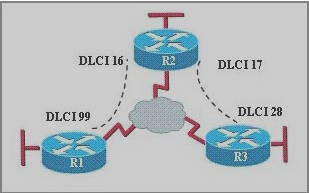
FRAME RELAY SETUP:
· Config# interface serial 0
· Config-if# encapsulation frame-relay – cisco by default, can change to ietf
· Config-if# frame-relay lmi-type cisco – cisco by default, also ansi, q933a
· Config-if# bandwidth 56
· Config-if# interface serial 0.100 point-to-point – subinterface
· Config-if# ip address 122.1.1.1 255.255.255.0
· Config-if# frame-relay interface-dlci 100
-maps the dlci to the interface
-can add BROADCAST and/or IETF at the end
· Config-if# interface serial 1.100 multipoint
· Config-if# no inverse-arp – turns IARP off; good to do
· Config-if# frame-relay map ip 122.1.1.2 48 ietf broadcast
-maps an IP to a dlci (48 in this case)
-required if IARP is turned off
-ietf and broadcast are optional
· Config-if# frame-relay map ip 122.1.1.3 54 broadcast
Subneting and Summarization
February 17, 2010 – 11:43 am
Subneting
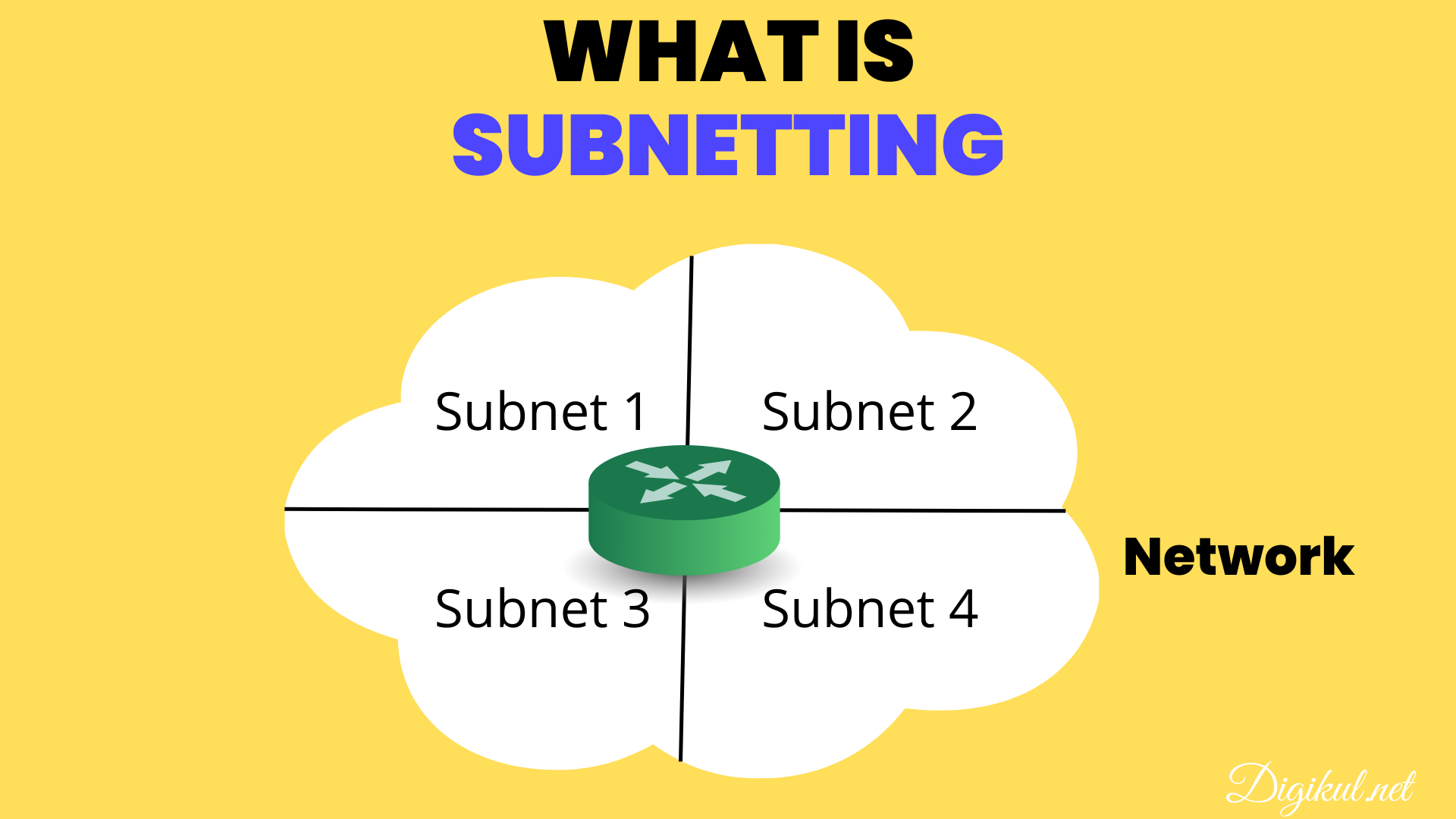
The process of extending the default subnet mask creates a counting range in the octet that the subnet was extended into, which can be used to represent subnetworks. This allows a single Class A, B, or C network to be subdivided into many smaller groups with each group, or subdivision treated as if it were a network itself. Thus, when we extend the default Class B subnet mask to 255.255.240.0, we do so by extending the subnet mask by 4 bits into the third octet. The number of bits that the subnet mask is extended by represents a counting range for counting the number of subnetworks that new subnet mask can support, using the 2n-2 formula. Thus, the subnet mask 255.255.240.0 subnet mask can support 14 subnets (24-2). In other words, the 65,534 hosts supported by the default subnet mask can now be divided among 14 subnetworks. The number of IP addresses supported by each subnet is called an address range. To calculate the range of addresses for each subnet, we would take the decimal value for the last bit used for the subnet mask as the starting point for the first address in our subnetwork, and then increment that number for each subsequent subnet. In this octet the bit range would be 111100000. The last bit in the subnet mask would thus have a decimal value of 16 (000100000). Therefore the first IP address in the first subnet address range would be 140.12.16.1.
The address ranges for the 14 subnets would be:
• 140.12.16.1 to 140.12.31.254 • 140.12.128.1 to 140.12.143.254
• 140.12.32.1 to 140.12.47.254 • 140.12.144.1 to 140.12.159.254
• 140.12.48.1 to 140.12.63.254 • 140.12.160.1 to 140.12.175.254
• 140.12.64.1 to 140.12.79.254 • 140.12.176.1 to 140.12.191.254
• 140.12.80.1 to 140.12.95.254 • 140.12.192.1 to 140.12.207.254
• 140.12.96.1 to 140.12.111.254 • 140.12.208.1 to 140.12.223.254
• 140.12.112.1 to 140.12.127.254 • 140.12.224.1 to 140.12.239.254
Note: The IP address range for each subnet begins with a 1, as in 140.12.16.1 or 140.12.32.1 and not 140.12.16.0 or 140.12.32.0 as this would be the first address in the subnetwork, and would therefore be the network address. Similarly, the last address in the range ends in 254 and not 255 as the last address would be the broadcast address.
Summarization
Summarization allows the representation of a series of networks in a single summary address. At the top of the hierarchical design, the subnets in the routing table are more generalized. The subnet masks are shorter because they have aggregated the subnets lower in the network hierarchy. These summarized networks are often referred to as supernets, particularly when seen in the Internet as an aggregation of class addresses. They are also known as aggregated routes. The summarization of multiple subnets within a few subnets has several advantages. These include: reducing the size of the routing table; simplifying the recalculation of the network as the routing tables are smaller; network overhead scalability; and hiding network changes.
Automatic Summarization
All routing protocols employ some a type of summarization. RIP and IGRP automatically summarize at the NIC or natural class boundary as the subnet mask is not sent in the routing updates. When a routing update is received, the router checks if it has an interface in the same class network. If it has one, it applies the mask configured on the interface to the incoming routing update. With no interface configured in the same NIC network, there is insufficient information and the routing protocol uses the first octet rule to determine the default subnet mask for the routing update.
Manual Summarization
Both EIGRP and Open Shortest Path First (OSPF) send the subnet mask along with the routing update. This feature allows the use of VLSM and summarization. When the routing update is received, it assigns the subnet mask to the particular subnet. When the routing process performs a lookup, it searches the entire database and acts on the longest match, which is important because it allows for the granularity of the hierarchical design, summarization, and discontiguous networks.
A discontiguous network is a network in which a different NIC number separates two instances of the same NIC number. This can happen either through intentional design or through a break in the network topology. If the network is not using a routing protocol that supports VLSM, this will create a routing problem because the router will not know where to send the traffic. Without a subnet mask, a routing protocol that supports VLSM resolves the address down to the NIC number, which appears as if there is a duplicate address. This will incorrectly lead to the appearance of intermittent connectivity symptoms.
If there are discontiguous networks in the organization, it is important that summarization is turned off or not configured. Summarization may not provide enough information to the routing table on the other side of the intervening NIC number to be capable of appropriately routing to the destination subnets, especially with EIGRP, which automatically summarizes at the NIC boundary. In OSPF and EIGRP, manual configuration is required for any sophistication in the network design. However, because EIGRP can perform summarization at the interface level, it is possible to select interfaces that do not feed discontiguous networks for summarization.
If summarization is not possible, you can either turn summarization off and understand the scaling limitations that have now been set on the network, or you can readdress the network.
Tip To Remember Subnetting
February 17, 2010 – 11:32 am
Got this off another site but it’s useful here also:
To remember the subnetting tables all you have to do is start with “4″ and double it until you get to “16384″ Write them downward on a sheet of paper and when you are done just subtract 2 from each number.
ie:
4 = 2
8 = 6
16 = 14
32 = 30
64 = 62
once you have done that all you need to do is reverse the order of all the numbers going back up the sheet:
subnets hosts
2 62
6 30
14 14
30 6
62 2
See how the numbers flip flop between each column? My example is for class C but it works for class B just the same.
Once you have the subnet/host numbers written out, just remember the following numbers .192, .224, .240, .248, .252
class C:
sub hosts
.192 /26 2 62
.224 /27 6 30
.240 /28 14 14
.248 /29 30 6
.252 /30 62 2
The numbers with a slash (ie /26) are just short hand ways of writing out subnets. They can be really confusing if you are trying to learn subnetting for the first time. Just rember that ip addresses are made up of 32 bit addresses, or /32. These 32 bit addresses are broken down into class A,B, and C. class B are from /18 to /30 and class C go from /26 to /30. The reason the numbers don’t go up to /32 are because it goes against the rules of subnetting (according to Cisco), I don’t have any other reason why.
You need to memorize this stuff!!! When I went to work I jotted notes all over my desk and tool boxes just so I would see it all the time.
Here is the class B example:
(1). start with 4 and double it till 16384: 4, 8, 16, 32, 64, 128, 256, 512, 1024, 2048, 4096, 8192, 16384.
(2). subtract 2 from each number: 2, 6, 14, 30, 62, 126, 254, 510, 1022, 2046, 4094, 8190, 16382.
(3). write them downward on a sheet of paper and then write them back up in reverse order:
2 16384
6 8190
14 4094
30 2046
62 1022
126 510
254 254
510 126
1022 62
2046 30
4094 14
8190 6
16382 2
(4) Finally you just have to add the net number to your list… Rember these numbers: .192.0 (/1) .224.0 (/19) .240.0 (/20) .248.0 (/21) .252.0 (/22) .254.0(/23) .255.0 (/24) .255.128 (/25) .255.192 (/26) .255.224 (/27) .255.240 (/28) .255.248 (/29) .255.252. (/30)
Learn NAT in 5 minutes
February 3, 2010 – 6:03 pm
To have a public IP-Address costs money. To have a whole public subnet, costs more money.
So companys with little money but clever admins can use a technic, which helps them to use less
public IP-Addresses, but make it possible for lots of clients to connect to the Internet.
This technic is called NAT or Network Address Translation.
As the name says, an Network Address (IP-Address) is been translated to another address.
Mostly, a private IP-Address (172.16.X.X or 196.168.X.X) is translated in a public IP which the company
gets from an ISP and pays for the public IP or IPs.
There are some terms which must be understanded before going deeper in that material.
Its necessary for CCNA Certification to differ between them.
Inside local address
A private IP Address, not useable in the Internet.
Inside global address
A public IP address in the inside network.
Outside local address
A IP on the outside of the network, as its seen by an inside host.
Not necessarily public address.
Outside global address
A IP address in the outside network, which is a public address.
There are three forms of NAT
Static NAT
ONE private IP is translated to ONE public IP.
Allways the same private IP is mapped to the same public IP.
Dynamic NAT
A private IP is mapped to a public IP, which is from a pool of public IPs.
It must not allways be the same privat IP, which is mapped to a specific public IP.
This is selected dynamically.
Overloading
Many private IPs are mapped to one public IP.
This is also known as PAT (Port Address Translation).
Its a Form of dynamic NAT.
A private IP establishes a connection, for example is source port 2353.
The pakets come to the router. The router translates the IP to a public IP.
The router writes the Information about source IP and source Port into
its NAT Table. When the answer Pakets arrive from Internet the router again
checks its NAT Table and translates the pakets back to the private IP from where
the requesting pakets did origin, depending on the port entry in NAT Table.
Configuration commands
Static NAT
router(config)#ip nat inside source static local-ip global-ip
router(config)#interface fa0/4
router(config-if)#ip nat inside <<
Dynamic NAT
router(config)#ip nat pool name start-ip end-ip {netmask netmask | prefix-length prefix-length}
router(config)#access-list acl-number permit source-IP [source-wildcard]
router(config)#ip nat inside source list acl-number pool name
router(config)#interface fa0/4
router(config-if)#ip nat inside
router(config-if)#exit
router(config)#interface s0
router(config-if)#ip nat outside
Overloading
router(config)#access-list acl-number permit source-IP source-wildcard
router(config)#ip nat inside source list acl-number interface interface overload
router(config)#interface fa0/4
router(config-if)#ip nat inside
router(config-if)#exit
router(config)#interface s0
router(config-if)#ip nat outside
Home